Stronghold Inspection Tool

UX research, process analysis, and UX design for a Quisitive client
Overview
Stronghold's core business was safety and operational inspections on refinery equipment. Although their procedures were extremely thorough and sophisticated, their method for managing the resulting data was stuck in messy Excel spreadsheets and manual paper forms. Through my UX research, process analysis, and interaction design, we created a modern webapp that rendered the entire process digitally and responsively so that it could be used easily in the field.

Our primary target users - oilfield and refinery inspection workers in the field - are notoriously set in their ways and were distrustful of the technology at the outset. I earned the trust of this group during the testing process and objectively gathered their needs and behaviors. The resulting webapp created from my designs and guidance received unanimous positive feedback from our field testing inspectors.

Below are a few documentation examples and screenshots of my work. I would be happy to show you the original documents and discuss the project in more detail.
Results
- Incredibly complicated data density rendered down into a manageable, mobile friendly UI
- 100% approval from a challenging user base (both technology and change adverse)
 
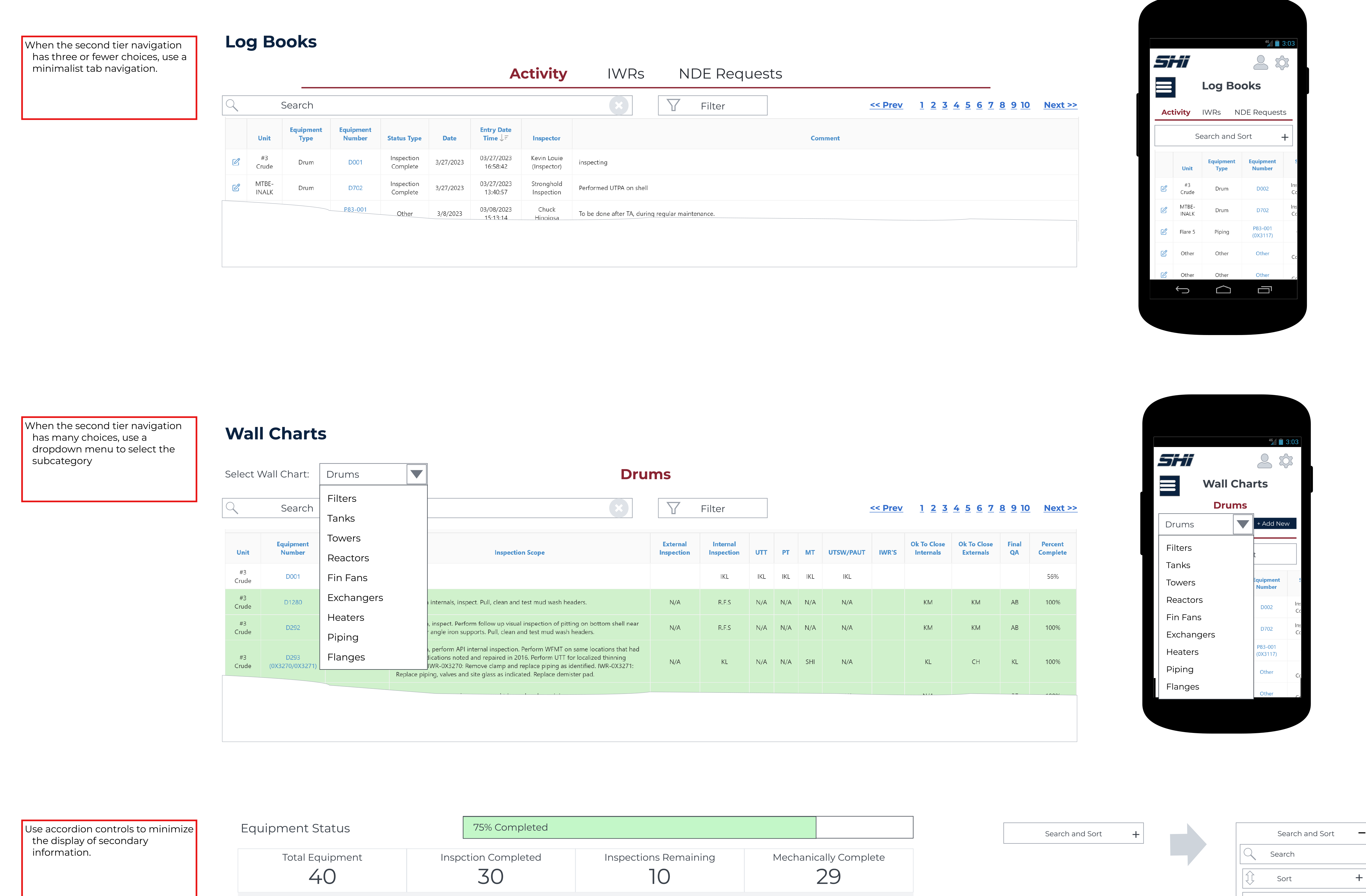
This excerpt from the proposed navigation pattern library shows how we managed to make the multilayer navigation work in a responsive UI.   
A detail of navigation control patterns for both desktop and responsive views
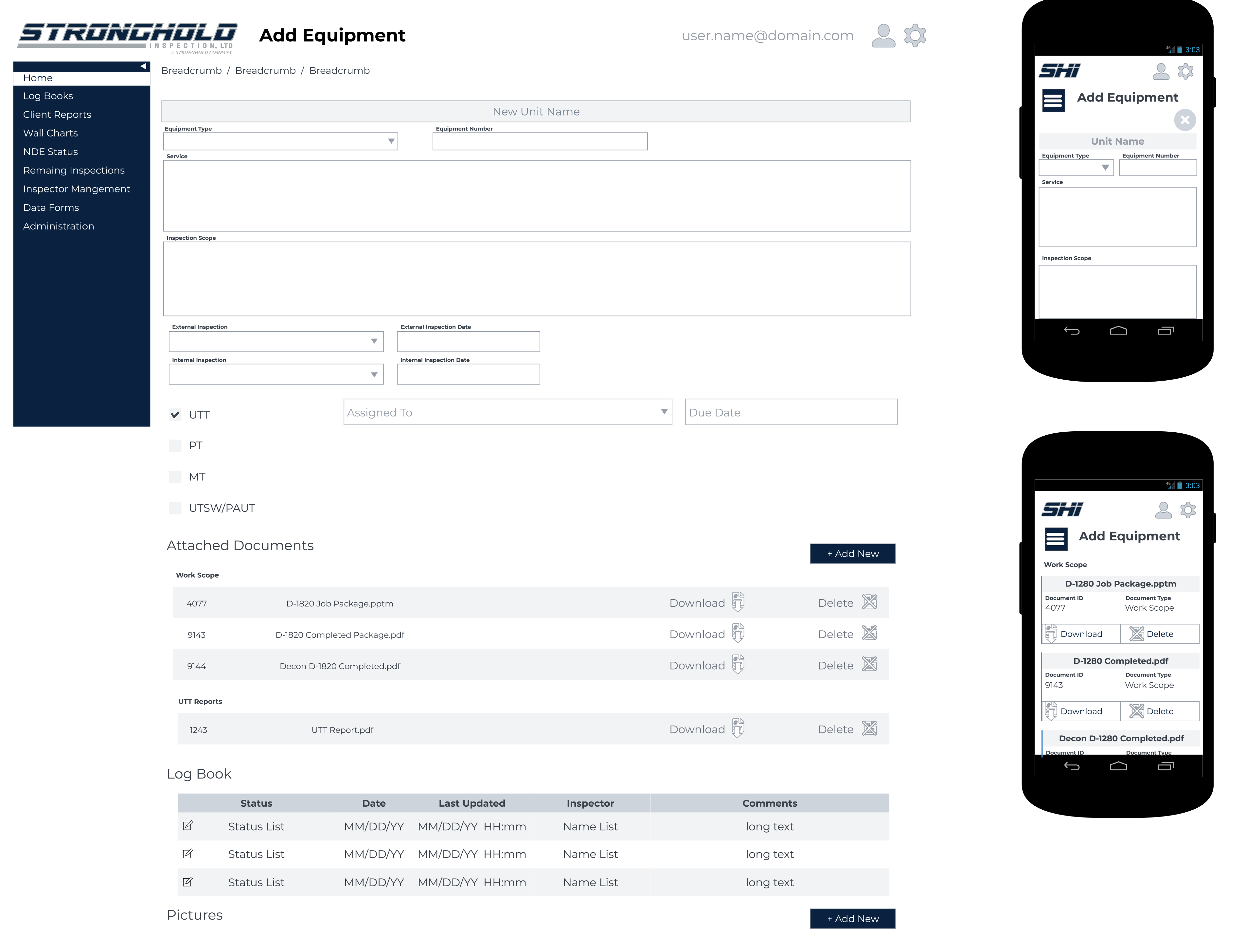
Here's a mockup for a complex form that adds new equipment to the inspection queue. This form had multiple iterations based on which persona was filling out the form.
A mockup of a responsive view of a complex form
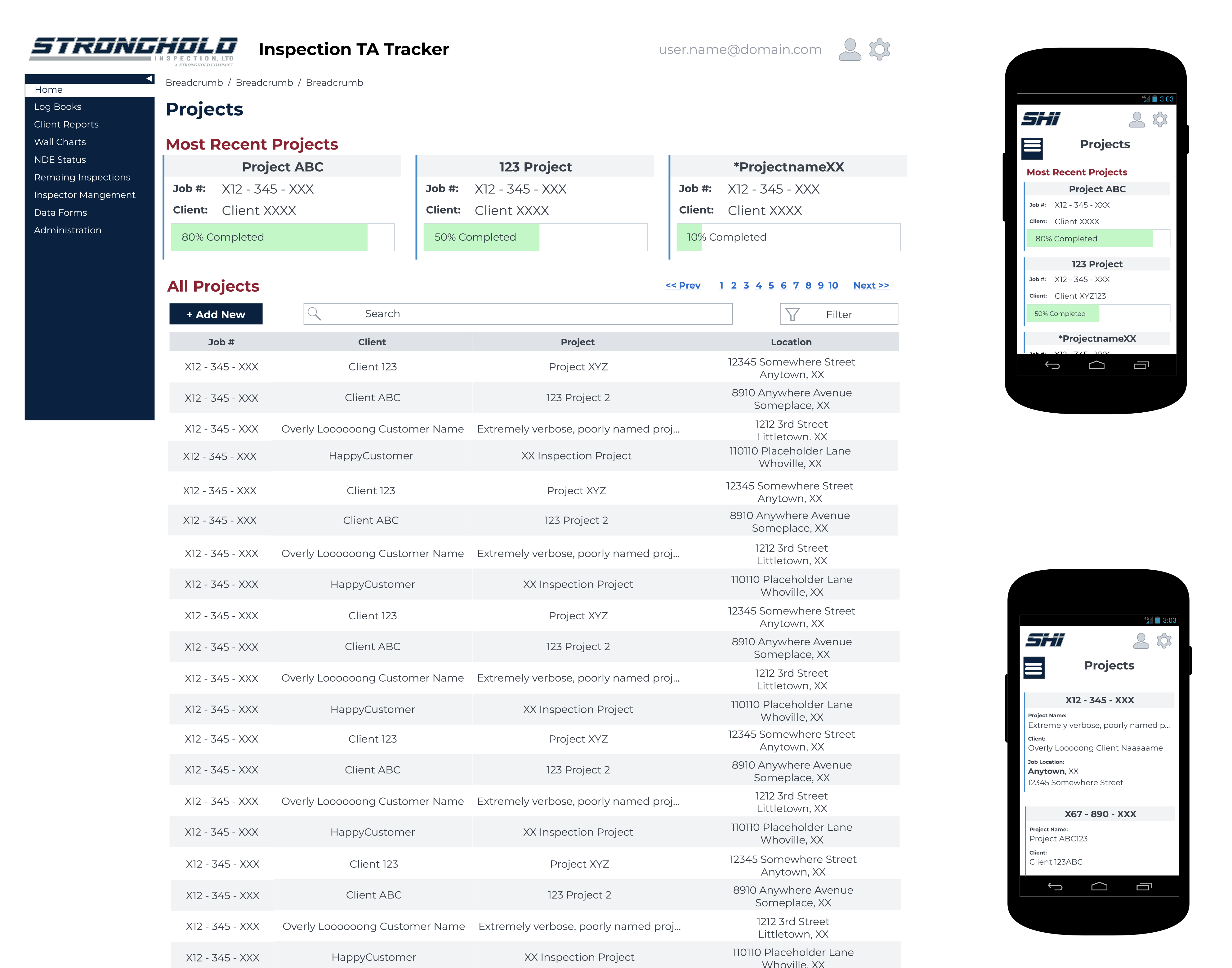
This mockup illustrates project tracking for supervisors/administrators. The individual projects were rendered as searchable cards that could be drilled down into for an increasing degree of detail. This broke down the lengthy project tracking system into manageable steps in a task rather than visually scanning through a huge spreadsheet.
Mockup of a project search and tracking system
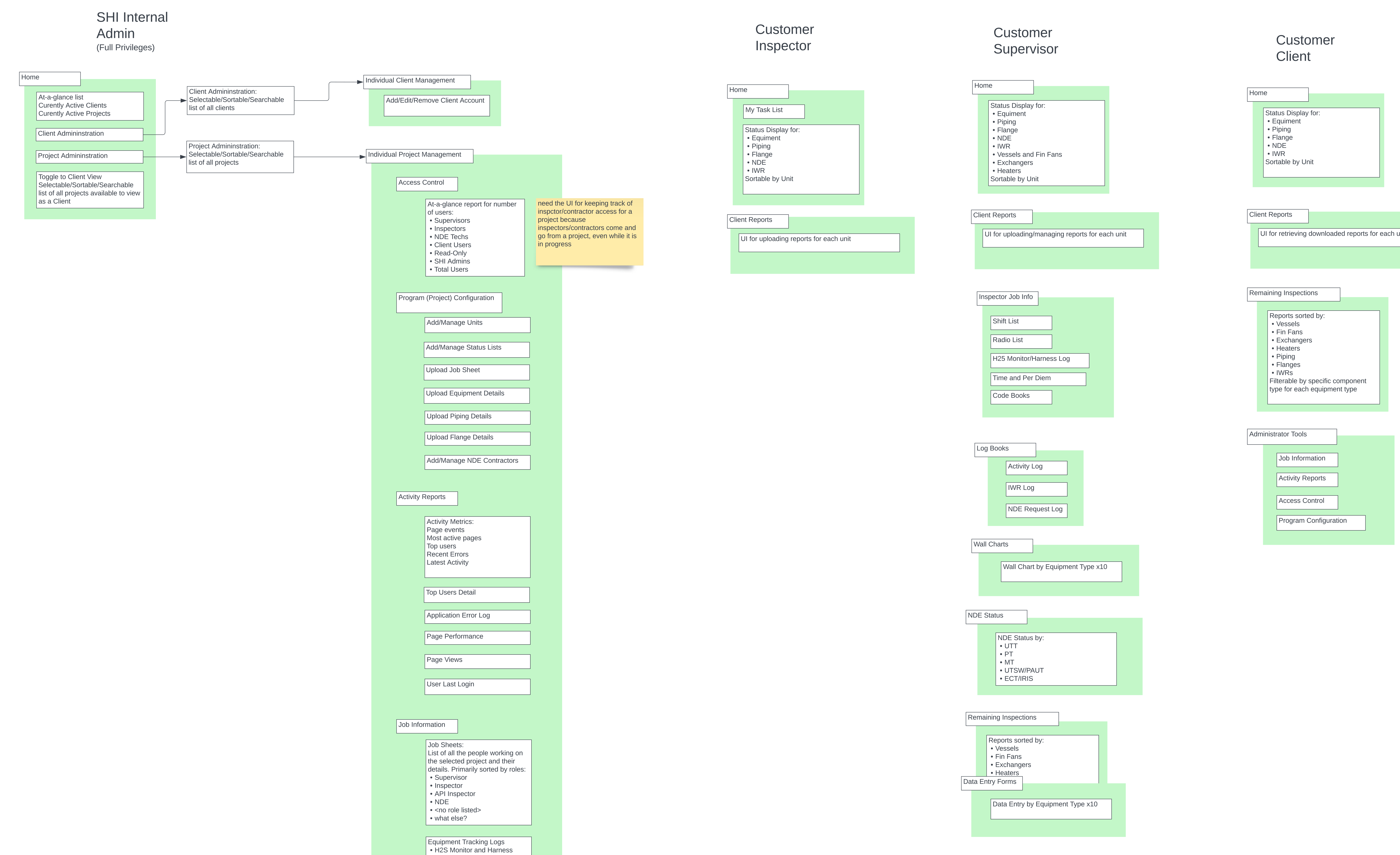
This is the breakdown of the navigation architecture based on user roles and tasks developed from UX analysis of the existing paper processes along with end user and SME interviews. Note the wide variance in user needs based on role.
A detailed navigation architecture based on the UX data from multiple user roles

Want to see more?